⌘ Self-hosted server Flutter app Built for your workflow
↔
Your computer, connectedA direct line to your workspace
✓
Task completePick up right where you left off.
INTERFACE PREVIEW · ILLUSTRATIVE CONTENT
ONE APP. YOUR ENTIRE FLOW.✳ AI conversations⌘ Codex tasks⌁ Files & terminal↗ Background execution
LESS FRICTION. MORE MOMENTUM.
From “what if” to “it’s done.”
A thought becomes a conversation. A conversation becomes a task. Your tools are already there.
✳
More than a chat.
Think out loud, share an image, or ask your assistant to explore files. Use your configured AI providers with streamed replies and saved conversations.
Can you explain how this project works?
✳Let’s start with the structure. ⌕ Exploring your workspace
ILLUSTRATIVE CONVERSATION⌘
Your next commit starts here.
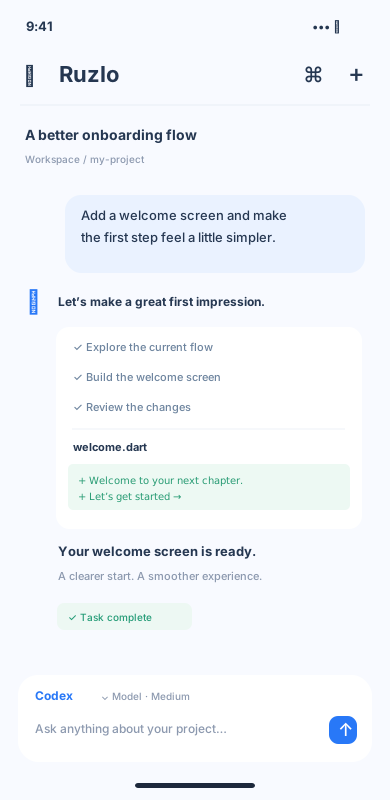
Run Codex in your selected project. Follow its plan, inspect changes, and respond to approval requests. Choose a separate Git worktree when you need one.
workspace / task
// A little progress, from anywhere.
const idea = 'Make it happen';
await workspace.build(idea);

+ Your next chapter starts here.
⌁
A real terminal. Right here.
Open an interactive shell in your server workspace, with ANSI output and handy keyboard shortcuts.
~/workspace $ git status ▍
↗
Step away. Keep going.
Accepted tasks run on the server, even when your phone disconnects. Return to the conversation to catch up.
Working on your computer
▤
Context, close at hand.
Reference files with @, search previous messages, and return to saved drafts. Keep your project in the conversation.
⌕ Search conversations@ project files
A SMALL APP. A POWERFUL CONNECTION.
Your phone is the window. Your computer does the work.
Ruzlo is a personal, self-hosted assistant. Your server connects the app to your tools, models, and projects.
▯Ruzlo appAsk · Review · Continue
Paired device
Your Ruzlo serverTasks · History · Permissions
Server-side tools
⌘Your workspaceModels · Codex · Files · Shell
01 / SET UP
Bring your own computer.
Install the Python server and configure your AI provider. Codex tasks use the Codex CLI installed on that computer.
02 / CONNECT
Scan. Confirm. You’re in.
Generate a pairing QR code, verify the server address, and connect. You can also enter the address and one-time code manually.
03 / CREATE
Make progress from anywhere.
Choose a project, send a task, and follow live updates. Reconnect to recover progress and handle pending approvals.
↳ Your server stores conversation history. Model requests use your configured provider. Use HTTPS for a secure remote connection.
A CLOSER LOOK
One workspace. Many ways to move.
From the first question to the final command, keep your flow in one place.
Designed for your everyday flow Interface illustrations, not live app screenshots.
THOUGHTFULLY CONNECTED
Your tools. Your choices.
Choose the way you work.
Select models, reasoning levels, and project directories. Codex offers permission modes, Plan, Fast, and optional worktrees, subject to model and account support.
Stay in the loop.
On configured iPhone and iPad installations, task notifications bring you back for completions, approvals, or questions. Notifications omit conversation content.
YOUR NEXT IDEA DOESN’T HAVE TO WAIT.
Take your workspace with you.
Set up your server. Pair your device. Start something.
A personal, single-user assistant. Requires your own server and model access.
A few things to know.
Does Ruzlo work without a server?+
Ruzlo needs a reachable Ruzlo server on your own computer. That server manages conversations, runs tasks, and connects to your configured AI tools.
What happens when I close the app?+
Accepted persistent chat and Codex tasks continue on the server. Reopen a conversation to recover progress. Temporary chats and interactive terminals have different lifecycles; terminals do not survive an app restart. A server restart interrupts unfinished tasks rather than replaying commands.
Where does my data go?+
Conversation history and attachments are stored on your server. Requests to AI models and optional tools are sent to the providers you configure. The app stores local drafts and connection details on your device.
How do I install the app?+
The client source includes Flutter setup instructions and an iOS build and TestFlight workflow. Follow the client repository for installation instructions. This page does not currently link to a public App Store release.
 Ruzlo
Get started
Ruzlo
Get started